CSV Import Bug
Hey,
I ran into an issue with the CSV import for Tracking Rule Packages and wanted to flag it since it seems to be on the platform side.
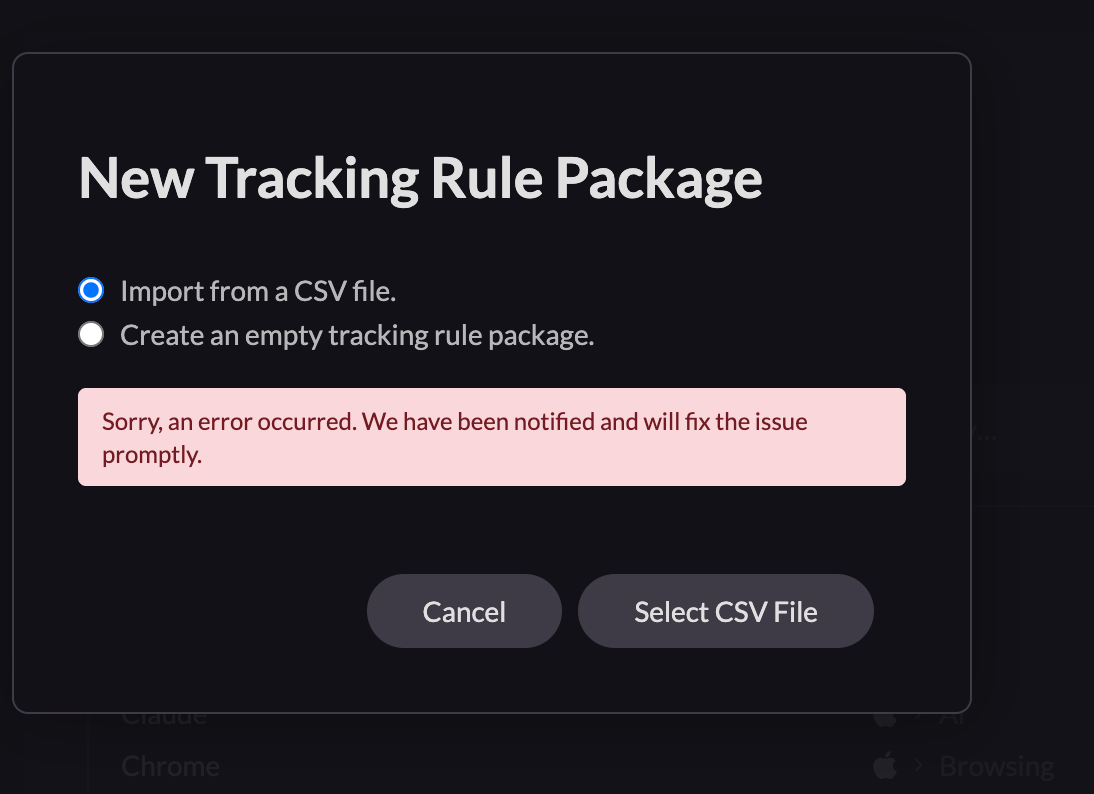
I was trying to import a custom set of tracking rules via CSV. When the import kept failing with a generic error ("Sorry, an error occurred. We have been notified and will fix the issue promptly."), I started debugging the file format.
Here's what I tested:
Created a CSV matching the exact 14-column schema from your export format (Name, Category Key, Category Name, Source, App Name, URL, Keyword, Block in Break, Block in Focus, Block in Meeting, Always Block, Do Not Track Any URLs, Track Full URL Enabled, Track Titles Enabled). Same error.
Tried a minimal 3-row CSV with original category keys (comunicacao, productivity, writing) that already exist in my account. Same error.
Tested variations: with and without pipe characters in category names, with explicit "false" vs empty fields for boolean columns, different line endings (CRLF vs LF), UTF-8 with and without BOM. All failed.
Finally, I exported my current active Tracking Rule Package directly from Rize (the ZIP containing the CSV), extracted the CSV, and tried to reimport that exact same file unchanged. Same error.
So the file that Rize itself generates cannot be reimported back into Rize. That confirmed the issue is on the platform side, not a formatting problem.
I'm on macOS, using the Rize desktop app. The import dialog accepts the file selection but throws the error immediately after.
Would appreciate a fix when possible – I have about 400 rules to import and doing it one by one isn't really viable.
Thanks
Log in to comment and vote
No comments yet
Be the first to share your thoughts.